Independent publications rarely stay one thing. A writer starts with a weekly newsletter, adds contributors and becomes a magazine, then goes quiet for a season and publishes long personal essays. Most themes lock you into one shape. Changing shape means changing theme, which means redesigning everything.
Ghost is the platform of choice for many independent magazines and newsletters because it combines publishing, email and paid memberships. This guide covers what such a publication needs from a theme, and how our theme, Marlowe, handles the shape-shifting with three homepage layouts in one.
What an independent publication needs
A homepage that matches the stage you are at
- Newsletter-first publications need the signup form to be the hero.
- Magazines need a lead story, editor's picks and a grid.
- Journals need a calm, text-first list.
Long-form reading
Comfortable type, generous spacing, wide and full-width images, a reading progress bar and a lightbox. People read 3,000-word essays on your site; it should feel good.
Big-feature posts
Some stories deserve a full-screen cover image with the title over it.
Writers and topics
Contributor pages and topic pages make a publication feel like more than one person's blog, and help readers find more of what they liked.
Memberships that feel editorial
Paid badges on cards, a paywall that matches the design, and a membership page that reads like an invitation, not a sales page.
How Marlowe handles it
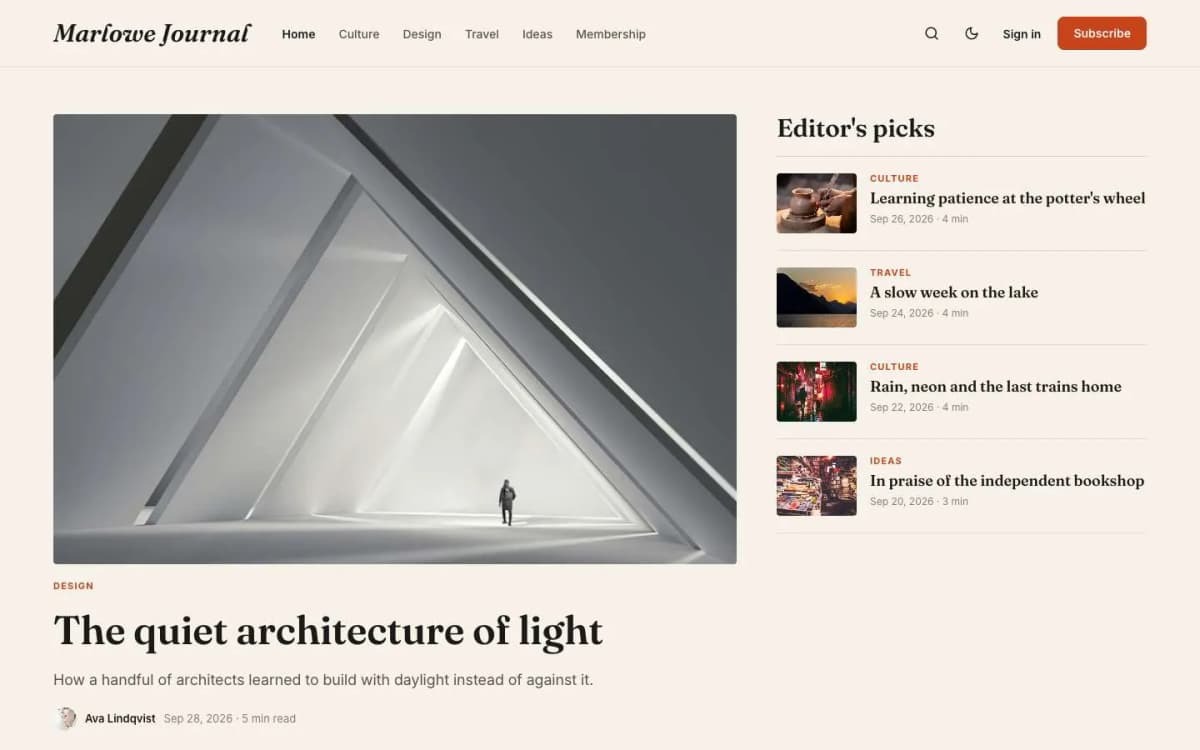
Marlowe is a warm, editorial Ghost theme for independent magazines and newsletters.
Three homepage layouts in one theme, switched in the theme settings with no code:
- Magazine (default): your newest post as a large lead story, featured posts in an Editor's picks column, then a grid of latest stories.
- Newsletter: a big signup hero with your title and a line of social proof, then the latest stories. Best for newsletter-first publications.
- Journal: a quiet, text-first list of essays with a short intro. Best for personal writing.
All three end with a newsletter band, and can show a row of topics.
Full cover template. The feature image fills the top of the screen behind the title, excerpt and byline.
Long-form reading. Fraunces headings and Inter text, generous spacing, wide and full-width images, a reading progress bar and a lightbox for photos and galleries.
Around each post. Related stories, share buttons and an author box.
Topics and Writers page templates.
Memberships. A membership page with tiers and a monthly/yearly switch, a styled paywall with Paid and Members badges on cards, and sign-in, sign-up and account pages. A newsletter band on the homepage and archive pages.
Details. Light, dark and system modes with an optional reader toggle; Load more on the homepage, tags and authors; self-hosted fonts; full translation support; 16 theme settings; no jQuery.
Switch layouts in your head while browsing the Marlowe live demo.
What Marlowe does not do
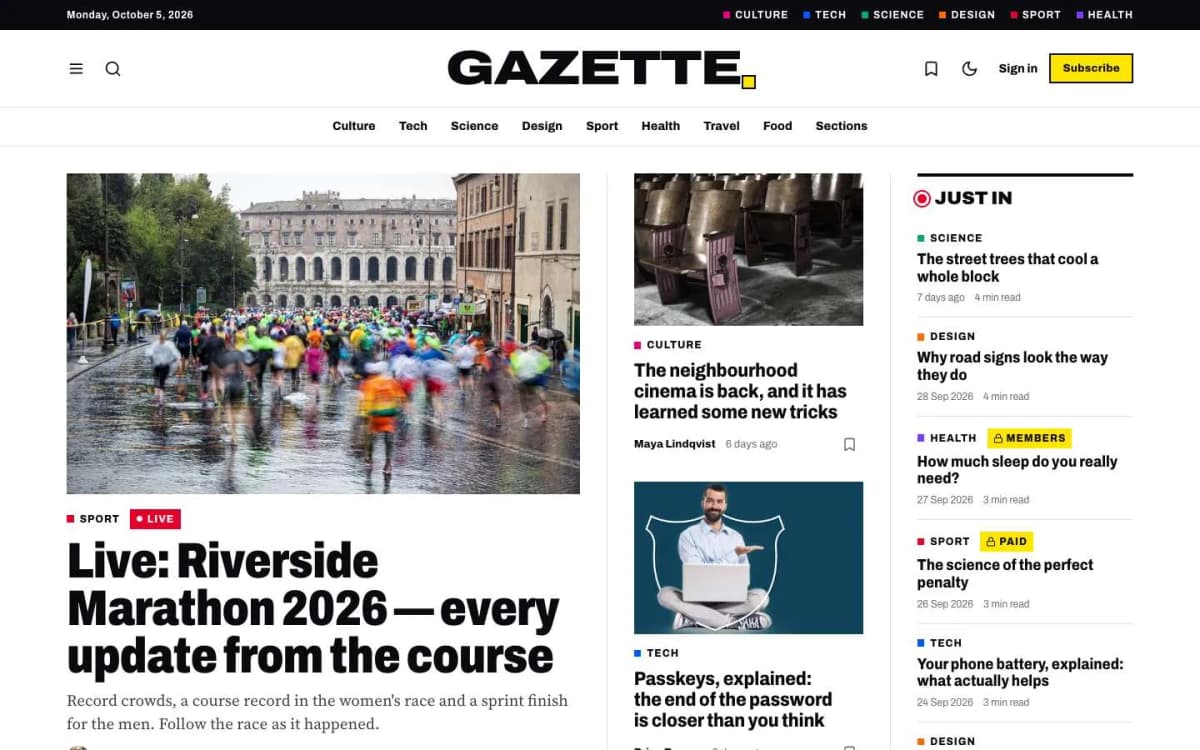
- No live blog or breaking news layout. For news, see Gazette.
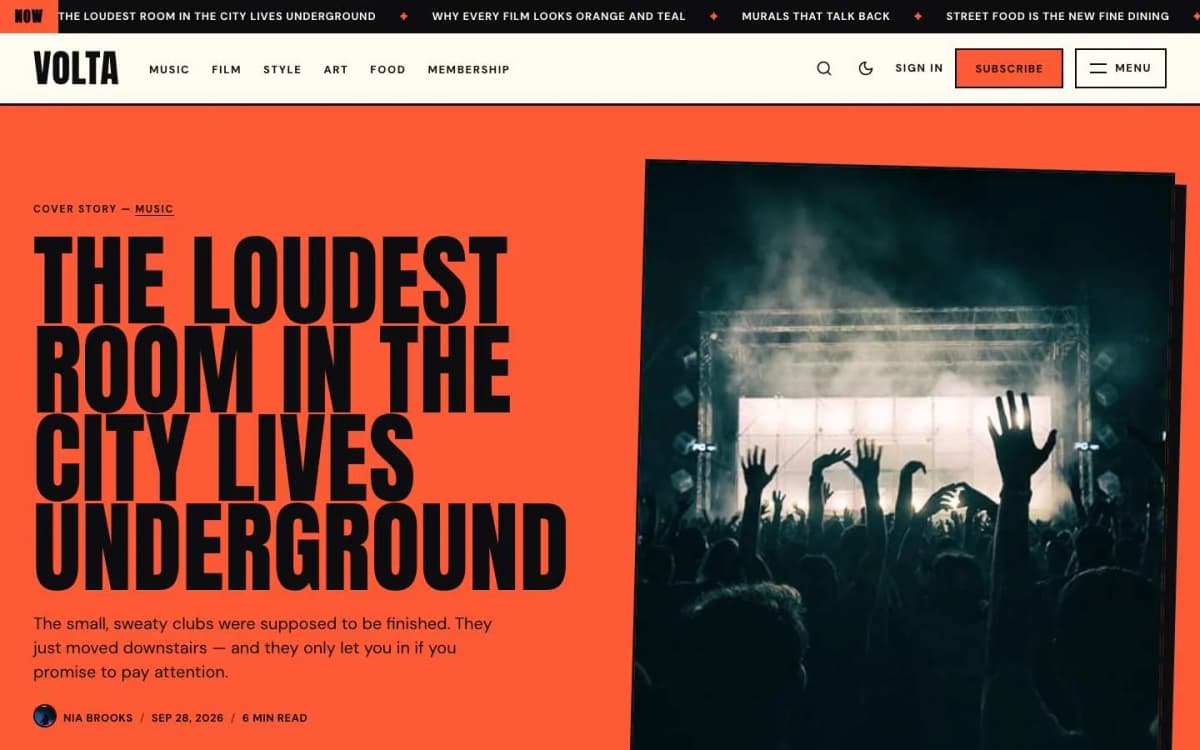
- Not loud. Marlowe is warm and bookish. For a colour-blocked culture magazine, see Volta; for a personal, sticker-covered creator brand, see Riot.
- Not photo-led. It handles images well, but if your publication is mainly photographs, look at Noir.
Choosing your homepage layout
- Under a few thousand readers, growing by email? Use Newsletter. Every visit should be a signup opportunity.
- Several contributors and a regular schedule? Use Magazine, and feature two or three stories a week as Editor's picks.
- One writer, long essays, irregular schedule? Use Journal. It never looks empty.
Because the layout is a setting, you can change it as the publication grows, without a redesign.
Running an independent publication on Ghost
- Pick a schedule you can keep. Weekly beats daily-then-silent.
- Write your social proof line honestly. Reader count, a quote, or who reads you.
- Use the Full cover template sparingly for big features, so it keeps its impact.
- Add contributors as staff users with photos and bios; they appear on the Writers page.
- Decide what paid members get. An extra weekly piece, the archive, or member-only essays. See Ghost memberships with Stripe.
- Coming from Substack? Read moving from Substack to Ghost.
Setting up Marlowe in an afternoon
Here is the order we use when we set up Marlowe for a publication.
- Choose the layout first. Pick Magazine, Newsletter or Journal in the theme settings based on where the publication is today. It changes what the homepage needs from you.
- Write the signup copy. The subscribe band appears on every layout. Give it a title that names what readers get ("Essays on cities, every Thursday") and one line of text. In the Newsletter layout, also write the hero title and an honest social proof line.
- Set up topics. Create four to eight tags with descriptions. Turn on the topics row if you want readers to browse by subject from the homepage.
- Add your writers. Each contributor needs a staff account with a photo and a short bio; the Writers page and author boxes use them.
- Feature your best work. In the Magazine layout, featured posts fill the Editor's picks column. Choose three or four strong pieces and rotate them.
- Pick your full-cover stories. Choose one or two big features to use the Full cover template, with photos that have a calm area for the headline.
- Create the membership pages. Membership, Sign in, Sign up and Account pages each use a template; publish them and link Membership in the navigation.
- Test as a reader. Open the site signed out, as a free member and as a paid member, on a phone.
Typography and long-form reading
Marlowe pairs Fraunces, a warm serif with character, for headings with Inter, a clear sans-serif, for body text. Generous line spacing and a comfortable line length matter more than any single feature for long essays: readers who are not fighting the page read further, and readers who read further subscribe. Wide and full-width images break up long pieces without interrupting the flow, and the lightbox lets readers look closer at photographs without leaving the story.
Growing from newsletter to magazine
A common path we see: a writer starts with the Newsletter layout and a single weekly issue. After a year, a few contributors join and the archive is deep enough to browse. That is the moment to switch to the Magazine layout, start featuring work in Editor's picks and publish a Writers page. Because the switch is a setting, the archive, members and design carry over unchanged.
Paid membership for a magazine
A magazine's paid offer usually works best as support for the whole publication rather than access to individual pieces. Keep most essays free to build reach, and offer paying members the full archive, member-only issues, comments or events. Say plainly on the membership page what their money pays for: writers, editing and independence.
Editing as a team
When several writers contribute, agree a simple workflow in Ghost: contributors write drafts, editors review and schedule them, and only editors publish. Ghost's staff roles support this. Keep a short style guide covering headlines, image sizes, tags and excerpts, so the homepage stays consistent however many people write for it.
Bottom line
An independent publication changes shape over time. Marlowe gives you three homepage layouts in one warm, editorial theme, with long-form reading, full-cover features, writers, topics and memberships, for $59. Start as a newsletter, grow into a magazine, settle into a journal, all without changing theme.
Try all three layouts: open the Marlowe demo and get Marlowe. Moving an existing publication? Our Ghost theme install and setup service can set it up and import your posts.
Frequently asked questions
Magazine, with a lead story, an Editor's picks column and a grid; Newsletter, with a big signup hero and a line of social proof; and Journal, a quiet text-first list of essays. You switch between them in the theme settings.
A post layout where the feature image fills the top of the screen with the title, excerpt and byline over it. Use a photo with a calm area for the title and a darker lower half for contrast.
Yes. The Newsletter layout makes the signup form the hero of the homepage, which suits publications that grow mainly by email.
Yes. Marlowe adds Paid and Members badges to cards, and paid posts show a styled paywall.