Most personal websites are feeds: newest first, published once, never touched again. A digital garden works differently. Ideas start rough, get revisited, grow into essays and link to each other. Visitors wander rather than scroll. The site is a place you tend, not a stream you feed.
Ghost is a lovely platform for a digital garden. Writing is fast and calm, the site is yours, and the built-in newsletter lets friends follow along without checking back. What Ghost does not provide is garden structure: growth stages, notes as a separate stream, "last tended" dates, sidenotes. This guide explains how to build that, using our theme Almanac.
What makes a garden different from a blog
- Stages, not just dates. Each piece says how finished it is.
- Notes and essays. Short thoughts sit alongside long pieces, without cluttering them.
- Tending. Posts show when they were planted and when they were last revised.
- Wandering. Readers move sideways through ideas, not just backwards in time.
- Margins. Asides live beside the text, not in the way of it.
- A quiet look. Text first, fast, no distractions.
How Almanac builds a garden in Ghost
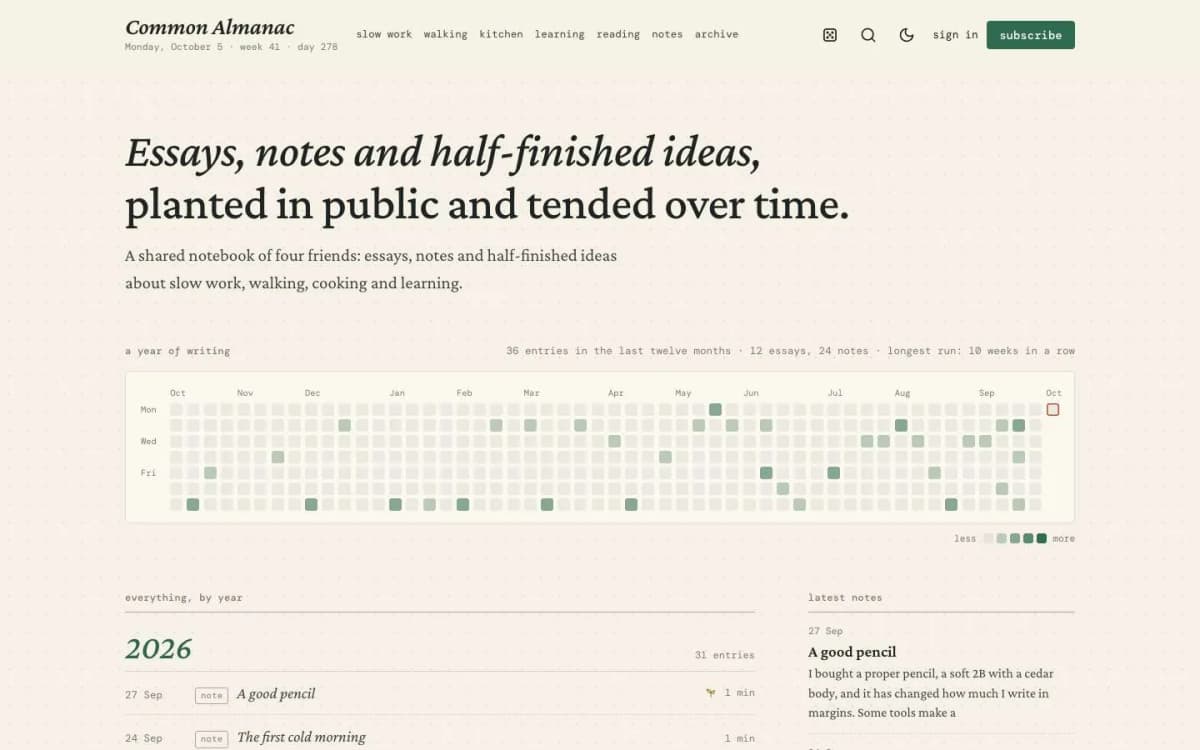
Almanac is a personal Ghost theme for essays, notes and a digital garden.
A writing heatmap
The homepage shows the last twelve months as a calendar of squares, one per day. A day with an essay is darker than a day with a note; two entries on one day darker still. Hover a square to see the titles; click to open the entry. A line above counts entries, essays and notes, and your longest run of weeks with at least one entry. It is a gentle nudge to keep writing.
Everything by year
The homepage, tag pages and author pages list entries as dated rows under a heading for each year, even across "Load more".
Growth stages
Mark each post with one internal tag: #seedling for a rough idea, #budding for something taking shape, #evergreen for finished and still true. The stage shows as a small mark on rows, in the post meta line, on the Garden page and in a legend on the homepage.
Planted and last tended
Posts show when they were published. When you edit a post at least two days after publishing it, Almanac also shows "last tended" with the edit date.
Notes as their own stream
Posts with the internal tag #note are short entries: a lighter italic row in lists, their own stream in the homepage side column, and the Note template, an index card with ruled lines and links to the older and newer note.
Sidenotes
Write an aside inside double brackets in any paragraph: In the morning I do it first. ((Urgent and important are different words for a reason.)) Almanac turns it into a small number. On wide screens the note sits in the margin beside its line, the way old books printed them; on smaller screens readers tap the number to open it.
Wander
A small die in the header, after every post, in the footer and on the 404 page opens a random post from your site.
Today's almanac line
Under the site name: the weekday, date, week and day of the year, in your readers' language.
The rest
Start here, garden beds and growth stages in the homepage side column; Archive, Garden (tags with their newest entries) and People page templates; a dot-grid paper look in light mode and a night-ink dark mode; membership page, paywall, sign-in, sign-up and account pages; self-hosted Crimson Pro and DM Mono fonts; full translation support; 17 theme settings; no jQuery.
Click Wander a few times on the Almanac live demo.
Starting your garden: a practical routine
- Plant seedlings freely. Publish rough notes with
#noteand#seedling. Lowering the bar is the point. - Tend weekly. Pick one seedling, expand it, and move it to
#budding. Almanac shows the "last tended" date automatically. - Promote to evergreen sparingly. Only pieces you would still stand behind in a year.
- Use tags as garden beds. A few broad themes (work, reading, tools, places) rather than many narrow ones.
- Write sidenotes instead of parentheses. They keep the main line clean.
- Write a Start here page and link it from the side column, so new visitors know where to begin.
- Send a monthly letter. Ghost's newsletter can share what grew this month with people who care.
Should a garden have paid members?
Most gardens are free, and that is fine. Some writers offer a paid tier for supporters or for a members-only stream of notes. Almanac includes membership pages if you want them; our guide to Ghost memberships with Stripe explains the options.
What Almanac does not do
- No automatic backlinks. Ghost does not track which posts link to which, so "linked from" lists are not generated. Link generously by hand.
- No graph view. There is no network map of your notes.
- Not photo-led. For a magazine with lots of photography, see Marlowe or Noir.
Other themes to consider
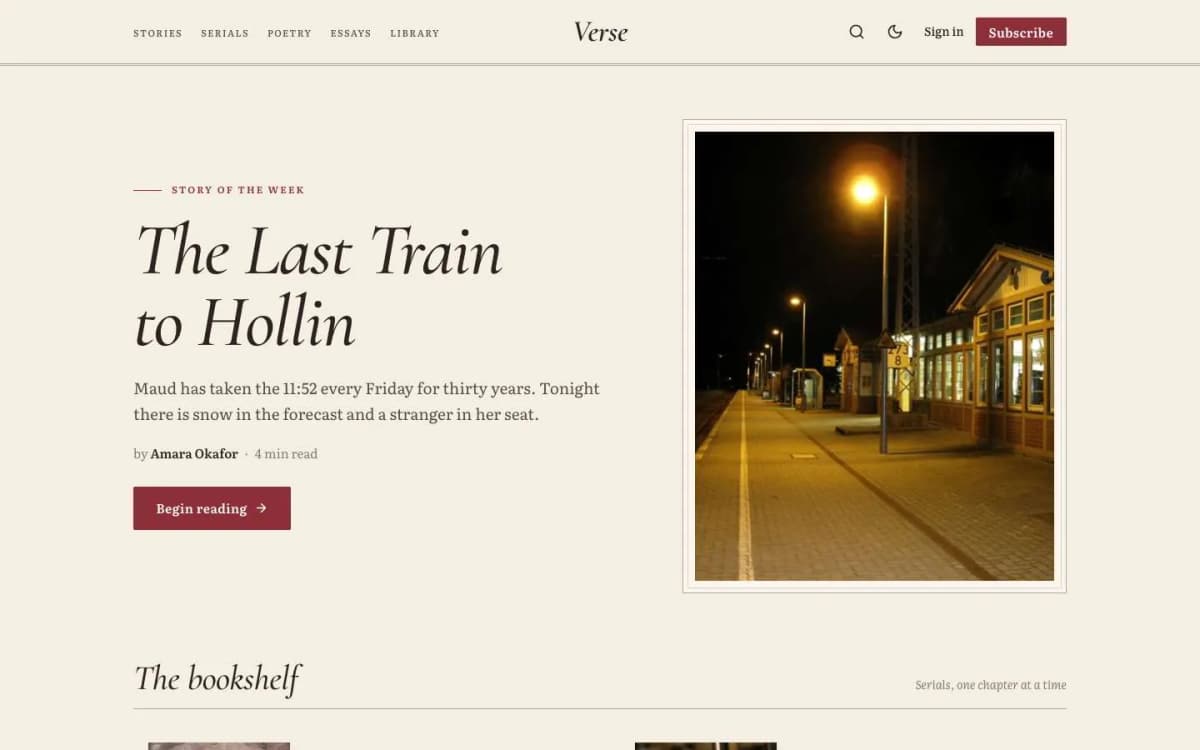
- Verse: for fiction and serials. See publishing fiction online with Ghost.
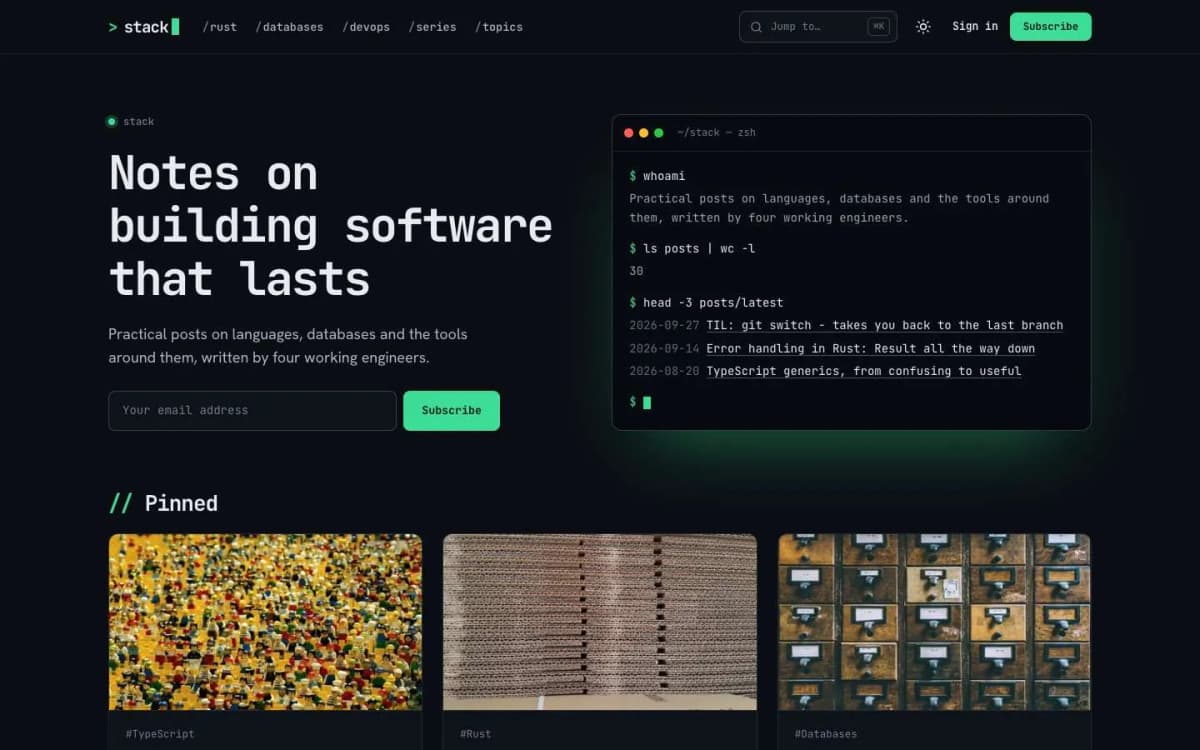
- Stack: if your garden is mostly code and technical notes.
Tags as the garden's paths
In a blog, tags are a filing system. In a garden, they are the paths between ideas. A few habits make them work:
- Fewer, broader tags. Ten well-kept topics beat a hundred one-off tags. You can always add a more specific one later.
- Write a description for every tag. It tells visitors what they will find and gives the tag page some context.
- Link inside notes, not just through tags. When one note builds on another, link to it in the text. Those links are what make a garden feel connected.
- Revisit old notes. When you learn something new, update the old note and change its stage, rather than writing a new post that contradicts it.
Importing notes from other tools
Many gardeners start in a notes app. Moving into Ghost works best in small batches:
- export a handful of your most finished notes as Markdown;
- paste each into the Ghost editor, which converts Markdown formatting as you paste;
- fix internal links by hand, pointing them to the new Ghost URLs;
- add tags, a stage and an excerpt;
- publish them over a few weeks rather than all at once, so the heatmap and the notes stream reflect real activity.
Bulk imports are possible through Ghost's import tools, but a garden is more about curation than volume. Moving notes by hand is also a natural moment to tidy them.
Sharing the garden
A garden grows slowly, so it helps to give readers reasons to come back. Ghost's newsletter can send a short monthly digest of new and updated notes, with one or two highlighted. That suits a garden better than emailing every note, and it reminds readers that the older notes keep changing.
Patience
Gardens take months to feel full. Publish small notes often, tend the important ones, and let the structure emerge from what you actually write.
Bottom line
A digital garden is a site you tend rather than a feed you fill. Almanac brings the essential garden ideas to Ghost: growth stages, notes, tended dates, sidenotes, a writing heatmap and a Wander button, in a quiet, fast theme for $59.
Start planting: open the Almanac demo and get Almanac. Moving notes from another tool? Our Ghost theme install and setup service can help bring them over.
Frequently asked questions
A personal website where posts are tended over time rather than published once and forgotten. Notes and essays are marked by how finished they are, linked to each other and updated as your thinking changes.
Add one internal tag to a post: #seedling for a rough idea, #budding for something taking shape, or #evergreen for finished work. The stage shows as a small mark on list rows, in the post meta line, on the Garden page and in a legend on the homepage.
Write the aside inside double brackets in any paragraph, ((like this)). Almanac replaces it with a small number; on wide screens the note sits in the margin, and on phones readers tap the number to open it.
A small die in the header, after every post, in the footer and on the 404 page that opens a random post from your site, never the one you are already on.