Gaming readers are impatient in a specific way. Before they read a word of your review, they want the score, the platforms and, for upcoming games, the release date. A general magazine theme hides those in the text. A gaming theme puts them everywhere: on cards, on the homepage carousel, in the header of every review.
Ghost is a good fit for independent gaming sites and newsletters: fast pages, a built-in newsletter, and memberships for readers who want early reviews or extra content. This guide covers what a gaming site needs from a Ghost theme, and how our theme, Arcade, handles it.
What a gaming site needs
Scores you can see from across the room
A big, coloured score on every card and in every review header, using one consistent scale.
Category scores
Graphics, story, gameplay, sound. A short list of sub-scores, shown as bars, helps readers who care about one aspect more than the rest.
Platform information
PC, console, handheld, mobile. Readers filter themselves by platform before they care about anything else.
Release dates and countdowns
Previews and announcements drive a lot of gaming traffic. A live countdown to release day is both useful and fun, and readers come back to check it.
A homepage with energy
Gaming sites feel like game menus: a hero carousel of big stories, bold type and neon edges. Calm, bookish layouts feel wrong here.
Short news and long reviews
Not every post is a 3,000-word review. News, patch notes and quick takes need a lighter layout.
How Arcade handles it
Arcade is a neon gaming magazine theme for Ghost.
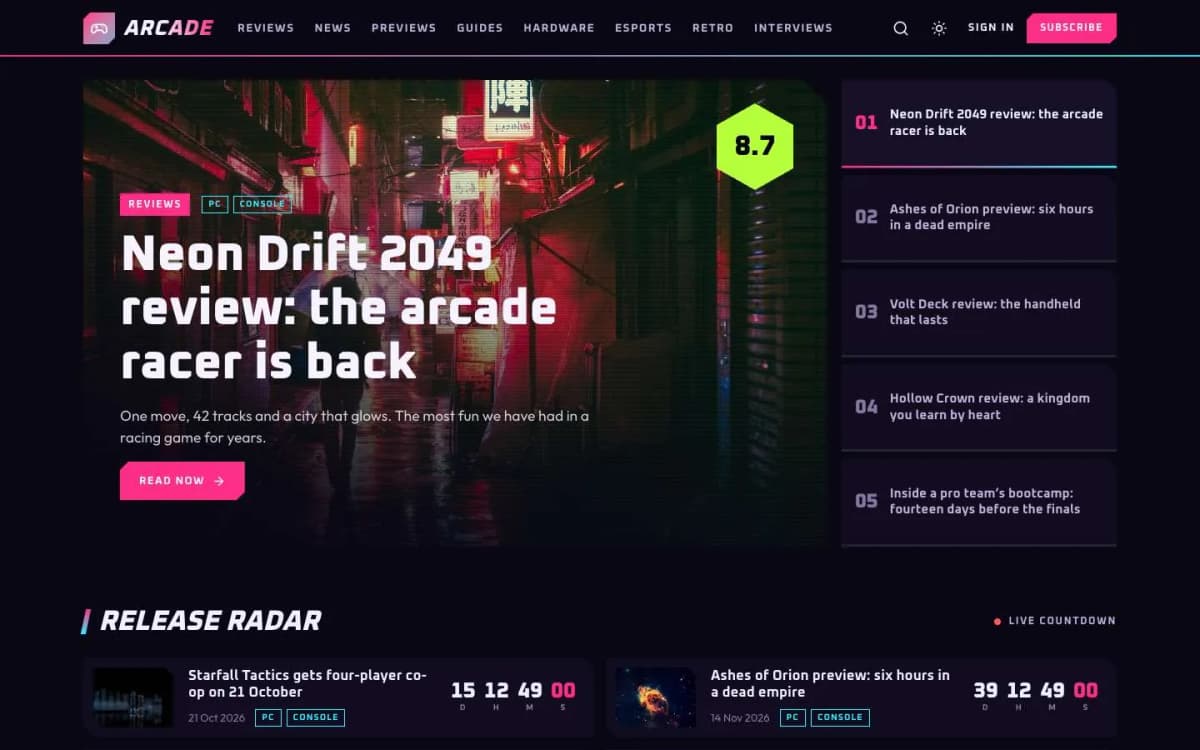
Score hexagons from one tag. Add the internal tag #score 8.7 to a review. The score appears in a hexagon on the post's card, in its carousel slide and in the review header: green from 80% of the scale, yellow from 60%, red below. Choose a scale of 10, 5 or 100 (with 100, scores show without decimals).
Rating bars. Add a heading "Scores" and a list of categories with their scores under it; Arcade turns them into animated bars with the overall score.
Platform chips. Add one internal tag per platform, such as #platform PC, #platform Console, #platform Handheld or #platform Mobile. Chips appear on cards, slides, the radar and the post header.
Release radar and countdowns. Add #release 2026-11-14 to a post. The header shows the date and a live countdown to the second; after the date it says "Out now". The homepage Release radar lists up to eight posts with release dates, soonest first.
Hero carousel. Your five newest featured posts, with numbered tabs, a timed progress bar, arrow keys and swipe. Autoplay waits while the pointer is over it and does not run for readers who prefer reduced motion.
The look. Cut-corner cards with a neon edge on hover, a glitch effect on titles, and optional scan lines over large images.
Two post layouts. The full-screen review header, and Brief for short news.
More. Topics page with image tiles and a Writers page; membership page with tiers and a monthly/yearly switch; styled paywall; sign-in, sign-up and account pages; reading progress; lightbox; galleries, tables, callouts and toggle cards; self-hosted Oxanium and Outfit fonts; full translation support; 18 theme settings; no jQuery. Dark by default, with light and system modes.
Try the countdowns on the Arcade live demo.
What Arcade does not do
- No game database. Arcade does not pull game data, prices or trailers from external databases. You write it.
- No forum. Ghost has member comments, but not a forum. Link to your Discord or community if you have one.
- No review structured data. Search results will not show stars from the theme.
Running a gaming site on Ghost
- Pick your scale and publish a "How we score" page. Link it from every review.
- Use internal tags consistently.
#score,#releaseand#platformdrive the whole site; add them as part of your publishing checklist. - Feature your five biggest stories. They lead the carousel; rotate them weekly.
- Clean up the radar. It shows eight posts; remove the
#releasetag from old posts to make space. - Use Brief for news. Keep long-form reviews and quick news visibly different.
- Send a weekly newsletter with the week's reviews and upcoming releases.
- Offer members something gamers value: early reviews, ad-free reading, or a monthly deep-dive. See Ghost memberships with Stripe.
Other themes to consider
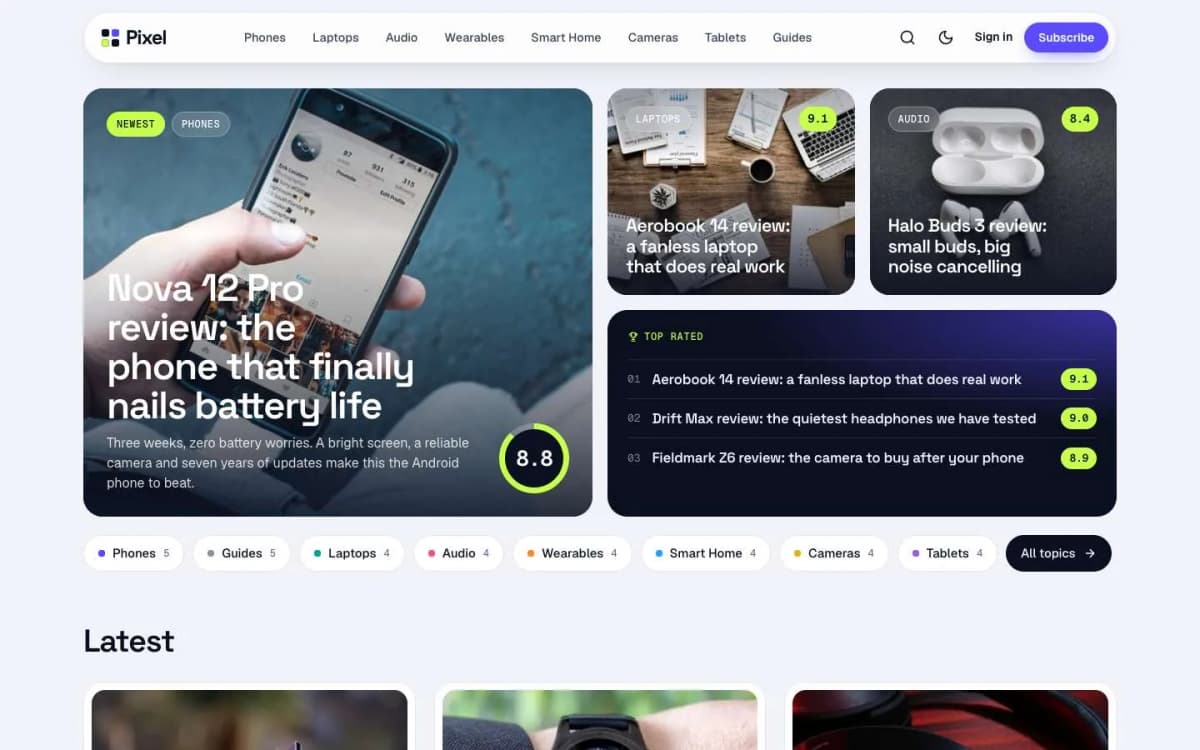
- Pixel: for reviews of everyday tech with pros and cons boxes. See the best Ghost theme for tech reviews.
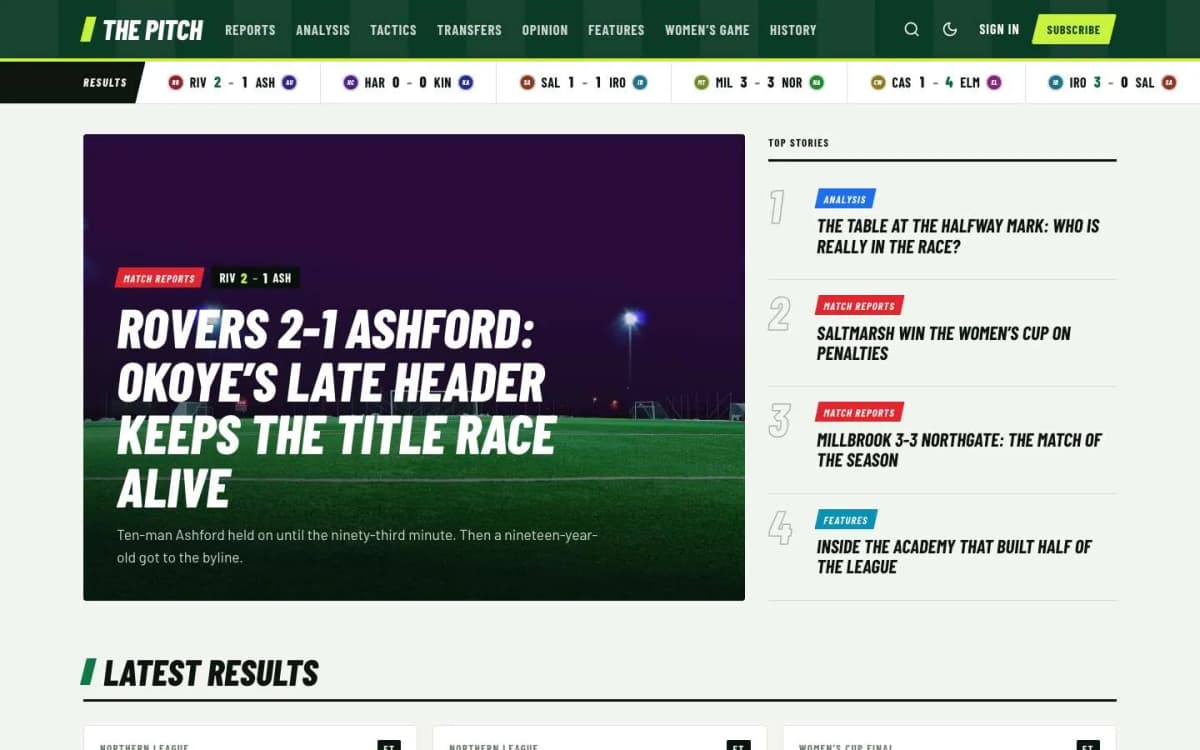
- Pitch: for football and sports coverage, including esports-style match reports.
- Browse every theme on our Ghost themes page.
Writing reviews that use Arcade properly
A typical review on an Arcade site looks like this in the editor:
- Post settings: the feature image (a screenshot or key art you have rights to use), the primary tag (for example Reviews), and internal tags such as
#score 8.7,#platform PC,#platform Console. - Opening: two or three paragraphs with the headline verdict and who the game is for.
- Body: sections on gameplay, story, presentation and performance, with screenshots in galleries.
- Scores: a heading "Scores" followed by a list of categories with their scores, which Arcade turns into animated bars with the overall score.
- Excerpt: a one-line verdict, which appears in the carousel and on cards.
For previews and announcements, swap the score tag for #release YYYY-MM-DD so the post joins the Release radar with a live countdown.
Using images responsibly
Gaming sites rely on screenshots and key art. Use press kits provided by publishers for media, your own screenshots from play, and credit sources where required. Large images should be compressed before upload; Ghost creates smaller versions for phones, but starting with sensible file sizes keeps pages fast.
A content mix that works
Most successful independent gaming sites mix:
- Reviews for discovery from search and sharing;
- Previews and release coverage that bring readers back as dates approach, which the radar and countdowns support;
- Short news using the Brief layout, to stay current without long write-ups;
- Guides for popular games, which earn steady search traffic for months;
- A weekly newsletter that pulls it together.
Balancing these keeps the carousel, radar and latest grid fresh, which keeps readers returning.
Building a community around the site
Gaming audiences love to talk back. Ghost gives you a few tools to turn readers into a community:
- Member comments. Ghost's built-in comments can be limited to members, or to paid members, which keeps discussion friendlier and gives people a reason to sign up.
- A weekly newsletter with your picks, upcoming releases and the best reader comments.
- Reader polls and questions in posts, with the results in the next issue.
- A Discord or community link for members who want real-time chat, linked from the membership page.
- Supporter tiers for readers who want to fund independent coverage, with extras such as early access to reviews or a members-only podcast.
Moderate early and set clear rules. A welcoming comment section is a feature; a toxic one drives readers away.
Bottom line
A gaming site needs scores, platforms and release dates on every surface, with an interface that feels like a game menu. Arcade builds all of that from three internal tags and a "Scores" list, for $59.
Press start: open the Arcade demo and get Arcade. Want us to set it up with your topics, scale and first reviews? Our Ghost theme install and setup service does it.
Frequently asked questions
Add an internal tag such as #score 8.7 to the post. The score appears in a hexagon on the card, in the carousel and in the post header, coloured green from 80% of the scale, yellow from 60% and red below. You can use a scale of 10, 5 or 100.
Add an internal tag such as #release 2026-11-14. The post header shows the date with a live countdown to the second, and the post joins the Release radar on the homepage. After the date it shows Out now.
Yes. Add one internal tag per platform, such as #platform PC or #platform Console. The chips appear on cards, slides, the radar and the post header.
Arcade is dark by default, with light and system modes and a reader toggle.